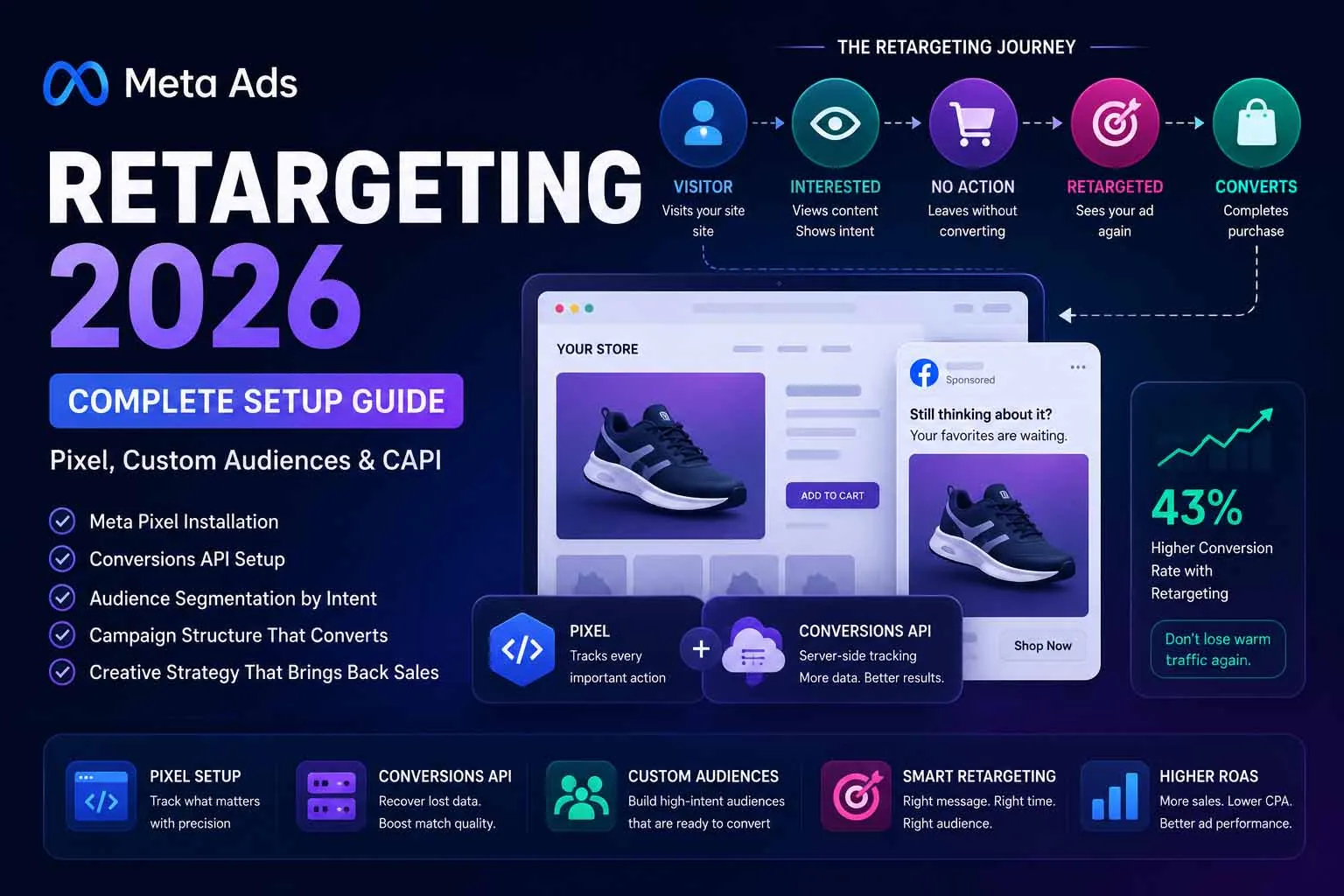
Retargeted visitors are 43% more likely to convert than cold traffic. Your website visitors already know your brand — they've seen your product, read your content, or started your checkout. Retargeting is simply the art of showing up again with the right message at the right time to complete the journey they already started.
This guide walks through the complete Facebook Ads retargeting setup for 2026 — from Pixel installation and Conversions API configuration through to campaign structure, creative strategy and frequency management.
Part of the Meta Ads series: This guide covers retargeting setup in full. For the complete campaign structure guide see Meta Ads Complete Guide 2026, and for all audience types see Meta Ads Targeting Options 2026.
What is Facebook Ads Retargeting?
Facebook Ads retargeting (also called remarketing) is the practice of showing targeted ads specifically to people who have previously interacted with your brand — visited your website, watched your videos, engaged with your page, or opened your lead form. These people are significantly warmer than cold audiences because they've already demonstrated interest.
In 2026, effective retargeting requires three technical foundations working together:
- Meta Pixel — browser-side tracking code that fires when users take actions on your website
- Conversions API (CAPI) — server-side event sending that bypasses iOS privacy restrictions and ad blockers
- Proper Custom Audiences — segmented by action, page visited, and recency to match the right message to the right intent level
Step 1: Pixel Installation & Verification
The Meta Pixel is a JavaScript snippet placed in your website's <head> section. It fires events when visitors take actions — page views, product views, add to carts, purchases — and sends that data to your Meta Ads account to build retargeting audiences and optimise campaigns.
Installation Methods
| Platform | Installation Method | Difficulty |
|---|---|---|
| WordPress | Meta Pixel plugin, or paste code in header.php / theme header via Code Snippets plugin | Easy |
| Shopify | Settings → Customer Events → Meta Pixel — native integration, no code needed | Very Easy |
| WooCommerce | PixelYourSite plugin (free) or Facebook for WooCommerce plugin | Easy |
| Custom HTML site | Paste base code between <head> tags; add event code above </body> | Medium |
| Google Tag Manager | Use Meta's GTM template — recommended for sites already using GTM | Medium |
Verification
After installing, verify your Pixel is firing correctly:
Meta Pixel Helper (Chrome Extension)
Install the Meta Pixel Helper extension. Visit your website. The extension shows a green checkmark if the Pixel fires correctly, lists all events detected, and flags any errors. This is the fastest verification tool.
Events Manager Test Events
In Meta Business Suite → Events Manager → your Pixel → Test Events. Enter your website URL and browse through purchase flows. Events appear in real-time as you trigger them. Confirms both that events fire and that parameters (value, currency, content_id) are passing correctly.
Check Event Match Quality Score
In Events Manager, check your Event Match Quality (EMQ) score (0–10). Below 6 means your Pixel events are matching poorly to Meta user accounts — your retargeting audiences will be smaller and your optimisation weaker. EMQ below 6 is the primary reason to implement CAPI.
Step 2: Conversions API Setup
The Conversions API (CAPI) sends conversion events directly from your server to Meta — bypassing browser-based limitations like iOS privacy restrictions, Safari's Intelligent Tracking Prevention, and ad blockers. Since iOS 14.5, CAPI has become essential rather than optional for any serious retargeting operation.
What CAPI Fixes
- iOS 14.5+ users who opted out of tracking are invisible to browser Pixel — CAPI can still capture server-side events for these users
- Ad blockers that block the Pixel script are bypassed completely
- Slow page loads that cause the Pixel to not fire before the user navigates away
- Cross-device journeys where browser cookies don't persist
CAPI Setup Methods
| Method | Technical Skill Required | Best For |
|---|---|---|
| Meta's Direct Integration (Shopify, WooCommerce) | None | Shopify and supported platforms — enable in one click |
| Partner Integration (via Zapier, Make) | Low | CRM-based conversions, lead form submissions |
| Meta's CAPI Gateway | Medium | Businesses wanting server-side without developer resources |
| Custom server-side implementation | High (developer needed) | Maximum control, custom events, enterprise setups |
Deduplication is critical: When running Pixel and CAPI together (which you should), Meta receives the same events twice. You must pass an event_id parameter in both the browser Pixel and CAPI events so Meta can deduplicate and count each conversion only once. Without deduplication, your Events Manager will show double the actual conversions.
Step 3: Standard Events Configuration
Standard events are the specific actions you track with your Pixel and CAPI. For retargeting, these events define the audiences you can build and the conversion actions you can optimise for.
Priority Events for Retargeting
| Event | Where to Fire | Retargeting Audience It Enables |
|---|---|---|
| PageView | All pages (automatic with base code) | All website visitors — your broadest retargeting audience |
| ViewContent | Product/service pages | Product browsers — people who viewed specific products but didn't add to cart |
| AddToCart | Add to cart action | Cart engagers — showed strong purchase intent |
| InitiateCheckout | Checkout page load | Checkout starters — highest intent short of purchase |
| Purchase | Order confirmation page | Buyers — exclude from acquisition, use for cross-sell/upsell |
| Lead | Thank-you/confirmation page | Converted leads — exclude from lead gen campaigns |
| Contact | Contact form thank-you | Enquirers — warm audience for follow-up nurture campaigns |
Custom Events for Advanced Segmentation
Beyond standard events, custom events let you build hyper-specific retargeting audiences:
ScrollDepth_75— fired when a user scrolls 75% of a blog post (high-engagement readers)TimeOnPage_120— fired after 2 minutes on a page (serious researchers)VideoPlay_50— fired when a website-embedded video reaches 50% completionPricingPageVisit— fired on your pricing or plans page (commercial intent signal)DownloadedResource— fired when a lead magnet or PDF is downloaded
Step 4: Building Your Retargeting Audiences
Once your Pixel and CAPI are firing correctly, build your retargeting audiences in Meta Business Suite → Audiences → Create Audience → Custom Audience → Website.
The Retargeting Audience Stack (Build All of These)
🔴 Cart Abandoners — 1–7 Days
Rule: AddToCart in last 7 days AND NOT Purchase in last 7 days. Your hottest audience. These users made the buying decision and stopped. Target with urgency, scarcity, or a small incentive. Expected ROAS: 6–12x.
🟠 Checkout Abandoners — 1–14 Days
Rule: InitiateCheckout in last 14 days AND NOT Purchase in last 14 days. Nearly identical conversion intent to cart abandoners. Target with friction-removal messaging — address common objections: shipping cost, return policy, security, delivery time.
🟡 Product Viewers — 7–30 Days
Rule: ViewContent in last 30 days AND NOT AddToCart in last 30 days. Research-stage visitors who showed specific product interest. Dynamic Product Ads (catalogue sales) work exceptionally well here — show them exactly the product they viewed.
🟢 All Website Visitors — 30–60 Days
Rule: All PageView events in last 60 days AND NOT Purchase. Broad warm audience for brand reminder and value proposition ads. Lower ROAS than the above segments but higher volume. Middle-of-funnel content performs well here.
🔵 Lead Form Openers — 30–90 Days
Rule: People who opened your Instant Form but did NOT submit. They showed clear intent (clicked the ad, opened the form) but didn't complete. Re-engage with a stronger proof point, social proof, or a different offer framing.
🟣 Video Viewers 75%+ — 30–90 Days
Built from Engagement Audiences → Video. People who watched nearly all of a video about your product or service. Excellent warm audience for conversion ads. Very cheap to build via Video Views campaigns at the top of funnel.
Step 5: Campaign Structure for Retargeting
Retargeting campaigns should use the Sales objective with Website Conversions and Original Audience mode (not Advantage+). You want strict audience control here — only your warm custom audiences should see these ads.
| Ad Set | Audience | Budget Split | Exclusions |
|---|---|---|---|
| Hot retargeting | Cart + Checkout abandoners, 1–14 days | 40% of retargeting budget | Purchasers last 30 days |
| Warm retargeting | Product viewers + all visitors, 7–30 days | 35% of retargeting budget | Cart abandoners + Purchasers |
| Cool retargeting | All visitors 30–60 days + video viewers | 25% of retargeting budget | All warmer audiences + Purchasers |
Keep retargeting budget separate from acquisition budget. Mixing retargeting and cold audiences in the same campaign makes it impossible to read performance accurately — warm audiences will always convert better and attract most of the budget, masking underperformance in cold acquisition.
Step 6: Creative Strategy for Retargeting
Retargeting creative is fundamentally different from acquisition creative. Your audience already knows who you are — you don't need to introduce yourself. You need to close the gap between interest and action.
Creative by Audience Temperature
| Audience | Creative Approach | Message Frame |
|---|---|---|
| Cart abandoners | Product-specific, urgency-driven | "Your [product] is still waiting — 24-hour offer ends tonight" |
| Checkout abandoners | Objection removal | "Free returns, secure checkout, delivered in 3 days — complete your order" |
| Product viewers | Social proof + specific product | Customer review of the exact product viewed + star rating + photo |
| All visitors | Brand value proposition | Your strongest unique differentiator — why you vs competitors |
| Video viewers | Next step — direct CTA | Bridge from the video content to the specific action you want |
Dynamic Product Ads for E-commerce Retargeting
If you have a product catalogue connected to Meta, Dynamic Product Ads (DPA) automatically show users the specific products they viewed — without creating individual ads per product. One ad template, hundreds or thousands of personalised retargeting ads generated automatically. This is the highest-converting retargeting format for e-commerce and requires:
- A product catalogue uploaded to Meta Business Suite
- ViewContent and AddToCart events firing with matching
content_idvalues that map to your catalogue - Sales → Catalogue Sales objective
Step 7: Exclusion Audiences
Exclusions are not optional. Without them, you are showing retargeting ads to people who already converted — wasting budget and damaging attribution data.
- Exclude purchasers (last 30–180 days) from all acquisition and product-view retargeting campaigns
- Exclude converted leads from all lead generation campaigns
- Exclude hot retargeting audiences from cool and warm retargeting ad sets
- Exclude current customers (uploaded list) from all new customer acquisition campaigns
- Exclude employees and colleagues by uploading their emails to a blocklist
Managing Frequency & Ad Fatigue
Retargeting audiences are small by definition. The same people will see your ads repeatedly — which is both the power and the danger of retargeting. Too much frequency creates ad fatigue, banner blindness, and negative brand perception.
| Audience Type | Healthy Frequency | Warning Sign | Action |
|---|---|---|---|
| Cart abandoners (1–7 days) | 3–5 impressions/week | CTR below 1% after day 5 | New creative variant or switch offer |
| Product viewers (7–30 days) | 2–3 impressions/week | Frequency above 4 in 7 days | Reduce budget or add creative variety |
| All visitors (30–60 days) | 1–2 impressions/week | CPM rising, CTR falling | Refresh creative every 3–4 weeks |
To control frequency, use lifetime budgets with impression caps at the ad set level, or monitor frequency in your campaign metrics and pause/rotate creative when thresholds are hit.
What Results to Expect from Retargeting
Realistic benchmarks for well-structured retargeting campaigns in 2026:
- Cart abandoner retargeting: 3–8% conversion rate, ROAS of 4–12x depending on product price and offer
- Product viewer retargeting: 1–3% conversion rate, ROAS of 2–6x
- All visitor retargeting: 0.5–1.5% conversion rate, ROAS of 1.5–4x
- Video viewer retargeting: 1–4% conversion rate, ROAS of 2–7x (highly variable by product)
These numbers assume clean Pixel data, proper CAPI implementation, segmented ad sets with matching creative, and regular exclusion audience maintenance.
5 Retargeting Mistakes Killing Your ROAS
- No CAPI implementation. In 2026, relying solely on browser Pixel means you're missing 20–40% of iOS users and anyone using an ad blocker. Your retargeting audiences are smaller than they should be, and your Event Match Quality is lower than it needs to be.
- One audience, one ad for everyone. Showing cart abandoners the same generic brand ad as all-visitor retargeting is leaving conversion rate on the table. Segment by intent level and match creative to the audience's specific stage.
- No exclusions. Retargeting purchasers with acquisition ads wastes budget and signals poor data hygiene to the algorithm. Build exclusions before launch, not after.
- Running retargeting in Advantage+ mode. Advantage+ will expand beyond your custom audiences to find cold traffic — defeating the purpose of a retargeting campaign. Always use Original Audience mode for retargeting.
- Never refreshing creative. Retargeting audiences are small and frequency builds fast. Showing the same creative to a 5,000-person audience for 3 months creates strong ad fatigue. Rotate at least one new creative variant every 3–4 weeks per audience segment.
Conclusion: Retargeting is Your Most Efficient Ad Spend
Of all Meta Ads campaign types, retargeting delivers the most consistent, measurable return. You're reaching people who already know you, already showed interest, and just need one more reason to act. The setup investment — Pixel, CAPI, audience segmentation, exclusions — pays back in dramatically higher conversion rates and lower cost per acquisition.
Get the technical foundation right first (Pixel + CAPI + events). Build segmented audiences by intent temperature. Match your creative to each segment's specific objection or next step. Keep exclusions current. And manage frequency before fatigue sets in.
Need help setting up your Meta Pixel, CAPI and retargeting audience structure? Book a free consultation — I set this up for businesses every week.
Need Help Setting Up Your Meta Pixel, CAPI & Retargeting Audiences?
From Pixel setup and audience architecture to creative strategy and ROAS tracking — done for you.
Get a Free Meta Ads Consultation