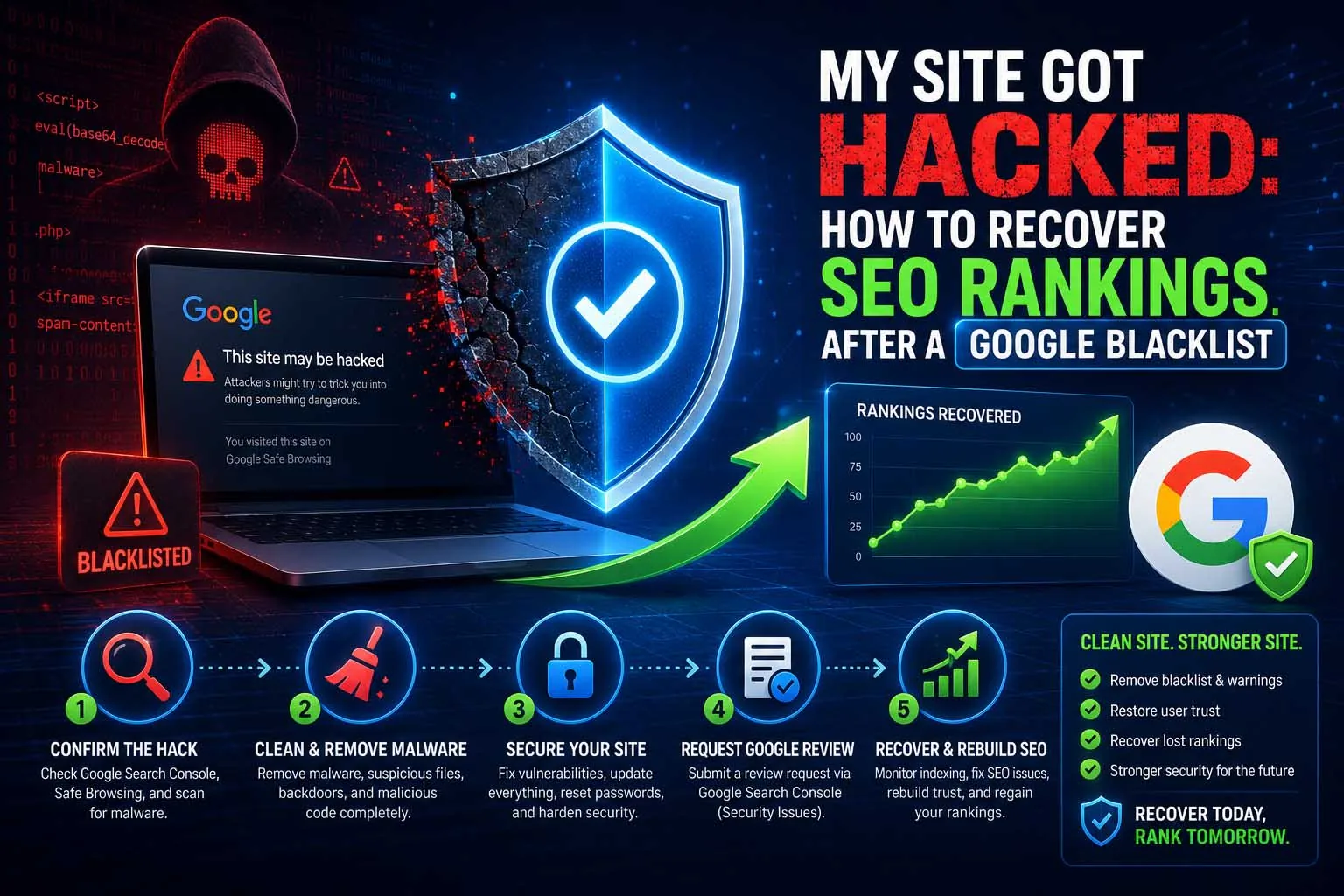
Part of the Website Security Checklist for SEO series. If you're here mid-crisis, skip straight to the recovery process.
Signs Your Site Has Been Hacked
Some infections announce themselves. Most don't — they sit quietly siphoning crawl budget and link equity into spam pages while you're none the wiser. Watch for:
- A "Security Issues" notice in Google Search Console
- Sudden, unexplained traffic drops with no corresponding algorithm update
- Unfamiliar pages appearing in Search Console's indexed-pages report (often pharmaceutical, gambling, or counterfeit-goods content)
- Search results showing your domain with title/description text you never wrote
- A red "Dangerous site" interstitial when you visit your own site in Chrome
- Antivirus or hosting provider warnings about outbound traffic from your server
The Recovery Process
Confirm the Infection
Check Search Console's Security Issues tab and run your domain through the Google Safe Browsing Transparency Report. Cross-check with an external scanner like Sucuri SiteCheck — don't rely on a single source.
Isolate the Site
Take the site offline or put it in maintenance mode if the infection is actively serving malware to visitors. This limits damage while you work and protects your users.
Clean the Malware
Restore from a known-clean backup if you have one — it's faster and more reliable than manual removal. If you don't, use a malware removal tool (Wordfence, Sucuri) or a specialist, and check every admin account for unauthorized additions.
Patch the Vulnerability
Cleaning without patching just invites reinfection. Update the CMS core, every theme, and every plugin. Change all passwords and API keys. If you can identify the specific entry point, close it explicitly.
Request a Google Review
In Search Console's Security Issues tab, submit a review request once you're confident the site is fully clean. Be specific in your notes about what was found and fixed — vague submissions take longer to process.
Monitor Recovery
Once the warning lifts, watch Search Console's coverage and performance reports weekly. Re-indexing and ranking recovery happen gradually, not instantly.
Don't request a review before you're sure it's clean. A failed review delays the next attempt and signals to Google that the issue wasn't properly resolved. Verify thoroughly first.
Finding the Spam You Can't See
Attackers often hide hacked pages from you while showing them to Google, a technique called cloaking. You can browse your own site for an hour and see nothing wrong while hundreds of spam URLs sit in the index. Look from Google's side:
- Search your own domain: run
site:yourdomain.comtogether with words like "buy", "cheap", "casino" or "replica" and scan for titles you didn't write - Use Search Console: check the Pages report for sudden jumps in indexed URLs, and the Performance report for queries unrelated to your business
- Compare what Google sees: run a live test on a suspicious URL in the URL Inspection tool and look at the rendered page and screenshot
- Test as a search visitor: open a suspicious result from a Google results page in a private window, because some infections only redirect visitors who arrive from search
- Check the server: look for recently modified files, unknown admin or FTP users, scheduled tasks you didn't create, and PHP files inside upload folders that should only hold images
- Check the database: look for injected scripts in posts, options and widgets, and for new users with administrator rights
On WordPress, WP-CLI can compare core files with the official versions (wp core verify-checksums) and plugin files from the WordPress.org directory (wp plugin verify-checksums --all), which quickly shows modified files.
Cleaning Spam URLs Out of Google's Index
Removing the malware does not remove the spam pages Google has already indexed. Those URLs can linger and make your site look low quality, so clear them deliberately:
- Make the spam URLs return 404 or 410. A deleted page should return a "not found" or "gone" status, not a redirect to your homepage.
- Don't block them in robots.txt. Google has to crawl a URL to see that it's gone, and blocking it can leave it in the index for longer.
- Use the Removals tool for urgent cases. It hides URLs from results temporarily; it does not delete them permanently, so the 404 or 410 still has to be in place.
- Submit a clean sitemap. Delete any sitemap files the attacker added and list only your real pages.
- Request indexing for your key pages so Google recrawls the clean versions sooner.
How Long Recovery Takes
| Stage | Typical Timeframe |
|---|---|
| Google detects the infection | 1–7 days after compromise |
| Cleanup & vulnerability patch | Hours to a few days, depending on severity |
| Google review response | Several days to a few weeks |
| Full ranking recovery | 60–180 days post-review |
The variable that matters most isn't the hack itself — it's how quickly and thoroughly you respond. Sites that clean up fast and patch properly recover faster than sites that linger in a half-fixed state.
Communicating With Google During Recovery
Cleaning the malware is only half the recovery. If Google flagged the site with a "This site may be hacked" warning or a manual action, that flag doesn't clear automatically once the site is clean:
- Verify the site is genuinely clean first. Re-scan after removing malware — reinfection from a leftover backdoor is the most common reason a reconsideration request gets rejected.
- Check Security Issues in Search Console. This report lists the specific pages and issue types Google detected — fix every one listed, not just the ones you found independently.
- Submit a reconsideration request once clean, describing what was compromised, how it was fixed, and what was changed to prevent recurrence. Vague requests ("fixed it") get rejected more often than specific ones.
- Expect a delay, not a rejection. Reviews commonly take 1-2 weeks. A second rejection almost always means something was missed during cleanup, not that the request itself was written poorly.
Mistakes That Prolong Recovery
- Cleaning the symptoms, not the backdoor. If the attacker's way back in is still there, the site is reinfected within days. Look for hidden admin users, modified core files and scheduled tasks as well as the visible spam.
- Restoring a backup that is already infected. Check the backup's date against when the first signs appeared, and scan it before restoring.
- Forgetting neighbouring sites. If several sites share one hosting account, an infection can spread between them. Clean every one.
- Leaving credentials unchanged. Passwords, API keys and database credentials may already be in the attacker's hands.
- Redirecting every spam URL to the homepage. Google may treat mass redirects as soft 404s. Let removed pages return 404 or 410.
- Disavowing links in a panic. Google describes the disavow tool as an advanced feature that most sites don't need. Spam links pointing at hacked pages rarely require it.
The 30 Days After the Warning Lifts
A cleared warning isn't the end. The first month is when reinfection and lingering spam are most likely to show up:
| Week | Focus |
|---|---|
| 1 | Re-scan every day, check Security issues and Manual actions, and confirm no unknown users, files or scheduled tasks have returned |
| 2 | Review the Pages report for unfamiliar URLs and read server logs for repeated requests to the file the attacker used |
| 3 | Compare Performance report impressions for your key pages with pre-incident levels, and check that titles and descriptions weren't altered |
| 4 | Review users and permissions, run another backup restore test, and write down what happened and how it was fixed |
Keep that written incident note. It makes the next response faster, and it's exactly what a reconsideration request asks you to describe.
Preventing the Next One
Recovery is the expensive way to learn this lesson. The cheap way is the routine covered in the Website Security Checklist for SEO — keeping software updated, backing up regularly, and checking Search Console weekly. If your stack is WordPress specifically, the hardening steps in WordPress Security Basics close most of the doors attackers actually use.
Frequently Asked Questions
Typically 60–180 days after cleanup and a successful Google review, depending on how long the infection was active and how much trust was lost. Faster cleanup means faster recovery.
Clean the malware completely, fix the vulnerability that allowed it in, then submit a review request through Google Search Console's Security Issues tab. Google re-crawls and lifts the warning once it confirms the site is clean.
Simple injections (a few spam pages, an obvious malicious script) are often fixable with free scanners and a CMS restore. Deeper compromises — backdoors, database-level injections — are worth paying a specialist for, since missing one backdoor means re-infection.
No. Being hacked is not itself a manual penalty — it's a security issue. Once genuinely clean and reviewed, rankings recover. The damage comes from leaving it unresolved, not from the incident itself.
Usually not. Google describes the disavow tool as an advanced feature most sites don't need, and spam links built to hacked pages rarely require it. Consider it only if you see a clear pattern of manipulative links pointing at your real pages.
Re-scan with more than one tool, verify core files against official copies, check for unknown admin users and scheduled tasks, and confirm Search Console shows no remaining security issues. Keep monitoring afterwards, because a leftover backdoor often reinfects a site within days.
Google has to recrawl each URL before it drops it. Make the spam URLs return 404 or 410, don't block them in robots.txt, submit a clean sitemap and use the Removals tool for anything urgent.
Worried a Hack Could Tank Your Rankings?
Security audits, malware cleanup, and hardening — so a breach never costs you the rankings you've worked for.
Get a Free Security Consultation