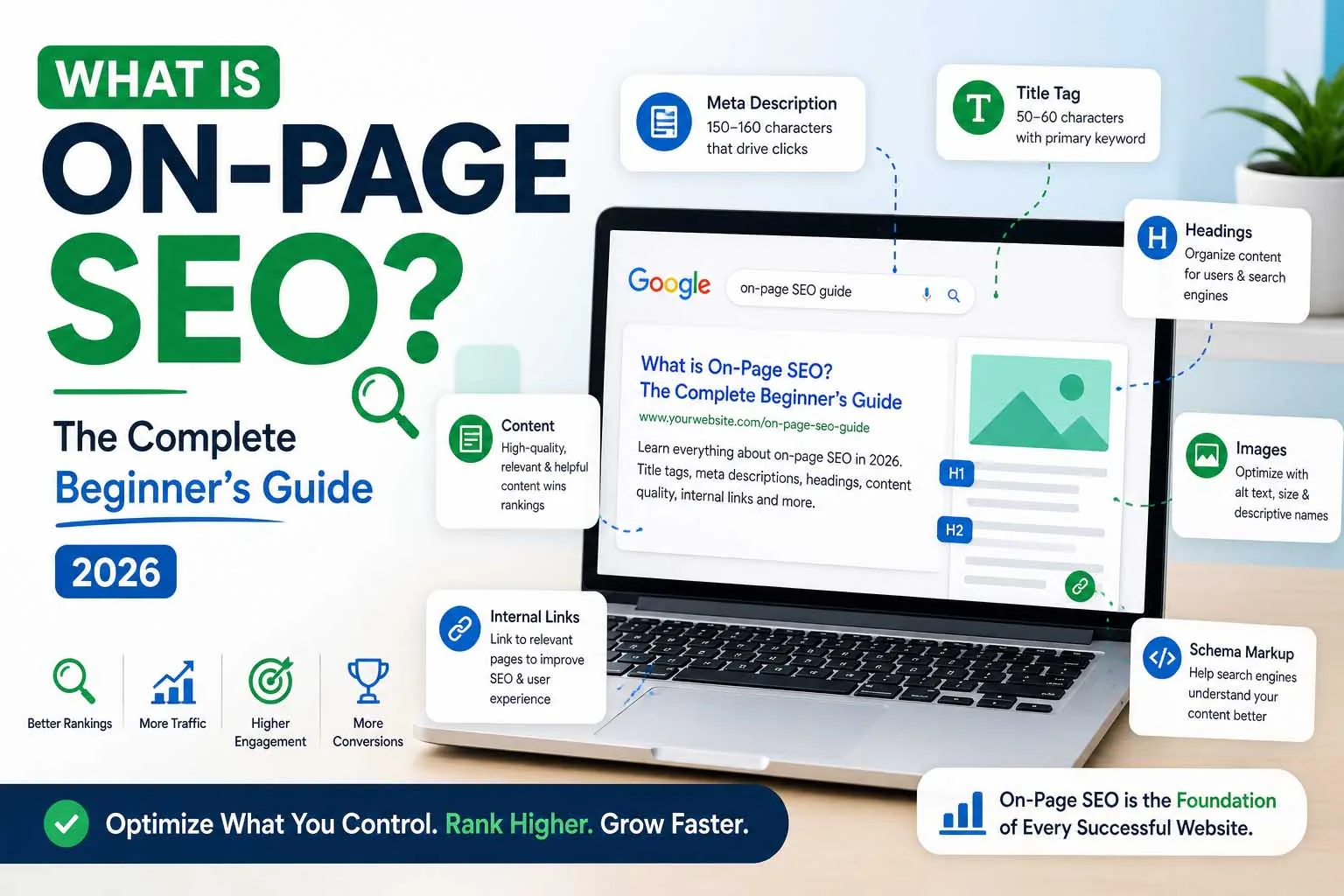
When people talk about "doing SEO", on-page SEO is usually what they mean. It is the discipline of optimizing everything on your actual webpage — from the title that appears in Google's results to the structure of your content and the links between your pages.
Unlike off-page SEO (which depends on other sites linking to you), on-page SEO is entirely within your control. That makes it the best place to start — and one of the highest-leverage activities in any SEO strategy.
Quick definition: On-page SEO = everything you do ON your page to help Google understand what it's about and rank it accordingly. Off-page SEO = everything that happens OFF your page (backlinks, brand mentions, social signals).
What is On-Page SEO?
On-page SEO (also called on-site SEO) is the practice of optimizing individual web pages so they rank higher in search engine results and earn more relevant organic traffic. It covers the technical and content elements within your HTML and visible page content that search engines read to understand your page's topic, relevance, and quality.
On-page SEO includes: title tags, meta descriptions, headings, URL structure, content quality, keyword usage, image alt text, internal links, page speed signals, and structured data markup.
Why On-Page SEO Matters in 2026
Google's algorithm has grown dramatically more sophisticated. In 2026 it evaluates content not just for keyword presence but for topical depth, E-E-A-T (Experience, Expertise, Authoritativeness, Trust), content freshness, and user experience signals.
On-page SEO connects directly to AI search visibility too. Google AI Overviews, ChatGPT, and Perplexity all extract information from well-structured, clearly written pages. A page with strong on-page SEO is more likely to appear in both traditional results and AI-generated answers.
1. Title Tags
The title tag is the clickable headline that appears in Google's search results. It's one of the most important on-page signals Google uses to understand your page's topic — and it's the first thing a searcher sees.
Title tag best practices
- Include your primary keyword — ideally near the beginning of the title
- Keep it 50–60 characters (Google truncates longer titles in results)
- Make it compelling — write for the human clicking it, not just the algorithm
- Each page must have a unique title tag — no duplicates
- Match the title to the actual content — never mislead users
Good title example: "Keyword Research Guide 2026: Find High-Traffic Keywords Fast"
Bad title example: "SEO Keywords Research Best Tool How Guide 2026 Free"
2. Meta Descriptions
The meta description is the short paragraph beneath your title in search results. Google confirmed it is not a direct ranking factor — but it directly influences click-through rate (CTR), which affects how much traffic you actually receive.
- Write 140–160 characters — enough to be informative without truncation
- Include your primary keyword naturally — Google bolds matched terms in the snippet
- Write a genuine value proposition — tell the searcher exactly what they'll get
- Include a soft call-to-action: "Learn how", "Discover", "Get the checklist"
- Every page needs a unique meta description
3. Headings (H1–H6)
Headings create the structure of your page. They help both users and search engines understand the hierarchy of your content. Google uses headings to extract featured snippets, PAA box answers, and AI Overview content.
| Tag | Usage | SEO Importance |
|---|---|---|
| H1 | Page title — one per page only | Critical — include primary keyword |
| H2 | Main section headings | High — use secondary keywords |
| H3 | Subsections within H2s | Medium — great for long-tail and PAA |
| H4–H6 | Deep subsections (rare) | Low — use when genuinely needed |
AEO tip: Write H2 and H3 headings as questions your audience actually asks. "What is keyword difficulty?" as a heading — followed by a 50-word direct answer — is exactly what Google extracts for PAA boxes and AI Overviews.
4. Content Quality and Optimization
Content is the core of on-page SEO. Everything else is scaffolding. Google's Helpful Content system evaluates whether your content is genuinely useful to the person who searched — not just whether it contains the right keywords.
Content optimization principles for 2026
Match Search Intent Precisely
Before writing, search your target keyword and study the top 10 results. Are they blog posts, videos, product pages, or listicles? Match that format. Google's ranking signal includes whether your content type aligns with what searchers actually want.
Cover the Topic Comprehensively
Google rewards topical depth. Use Ahrefs' "Also rank for" feature or browse PAA boxes to find every sub-question your content should answer. Aim to be the single best resource on your topic — not just a thin overview.
Use Keywords Naturally
Include your primary keyword in the first 100 words. Use semantic variants (LSI keywords) throughout. Avoid stuffing — Google penalises unnatural repetition. A keyword density of 1–2% is a healthy guideline.
Demonstrate E-E-A-T
Experience, Expertise, Authoritativeness, Trust. Include an author bio with credentials, cite sources, add publication dates, use first-hand examples, and link to authoritative external sources. These signals matter more than ever in 2026.
5. URL Structure
Clean, descriptive URLs help both search engines and users understand what a page is about before they click it.
- Keep URLs short and descriptive:
/on-page-seo-guide/not/post?id=1234 - Include your primary keyword in the URL
- Use hyphens to separate words — never underscores or spaces
- Use lowercase only
- Avoid stop words (a, the, of, for) where possible
- Never change a URL that already has backlinks or traffic without a 301 redirect
6. Image Optimization
Images contribute to page experience and can drive traffic through Google Image Search. Unoptimized images are one of the most common causes of slow LCP scores — directly harming rankings.
- Use descriptive filenames:
on-page-seo-checklist.jpgnotIMG_4521.jpg - Write descriptive alt text for every image — describe what the image shows, including keywords naturally
- Compress images — use WebP or AVIF format
- Always add
widthandheightattributes to prevent CLS - Use
loading="lazy"for images below the fold - Add
fetchpriority="high"to your hero/LCP image
7. Internal Linking
Internal links connect your pages together. They pass "link equity" (ranking power) between pages, help Google discover and crawl your content, and guide users deeper into your site.
- Link from high-authority pages to pages you want to rank — your homepage, popular posts, and pillar pages should link to supporting content
- Use descriptive anchor text — "learn more about keyword research" not "click here"
- Aim for 3–5 internal links per post — more is fine for long-form content
- Fix broken internal links — they waste crawl budget and frustrate users
8. Schema Markup
Schema markup is structured data code that helps search engines understand your content's context. It enables rich results (star ratings, FAQs, breadcrumbs) in Google and increases the likelihood of AI citation.
For blog posts and articles, implement: Article schema, BreadcrumbList schema, FAQPage schema (if applicable), and Person schema for author attribution.
Complete On-Page SEO Checklist
- Primary keyword in title tag (first 60 characters)
- Unique, compelling meta description (140–160 characters)
- One H1 tag containing the primary keyword
- H2/H3 headings covering the topic comprehensively
- Primary keyword in the first 100 words of content
- Content fully matches search intent (type and format)
- Clean, keyword-rich URL (no stop words or parameters)
- All images have descriptive alt text and filenames
- Images compressed and in WebP/AVIF format
- Width and height attributes on all images
- 3–5 relevant internal links with descriptive anchor text
- At least 1–2 links to authoritative external sources
- Article/BlogPosting schema implemented
- FAQPage schema on FAQ sections
- BreadcrumbList schema implemented
- Author bio with credentials visible on the page
- Page loads in under 2.5 seconds (LCP)
- No keyword stuffing — reads naturally
Conclusion
On-page SEO is the most controllable part of your entire SEO strategy. Unlike backlinks (which depend on other websites), every element covered in this guide is in your hands right now.
Start with your most important pages — homepage, service pages, top blog posts. Apply the checklist above systematically. Prioritize title tags, content quality, and schema markup first — these deliver the highest return on time invested.
Combine strong on-page SEO with a solid keyword strategy and technical foundation, and you have everything needed to rank consistently in both traditional search and AI-powered discovery.
Need Help with SEO, AEO or GEO?
Let's build a visibility strategy that works across Google, AI answers and generative search.
Start a Free Consultation