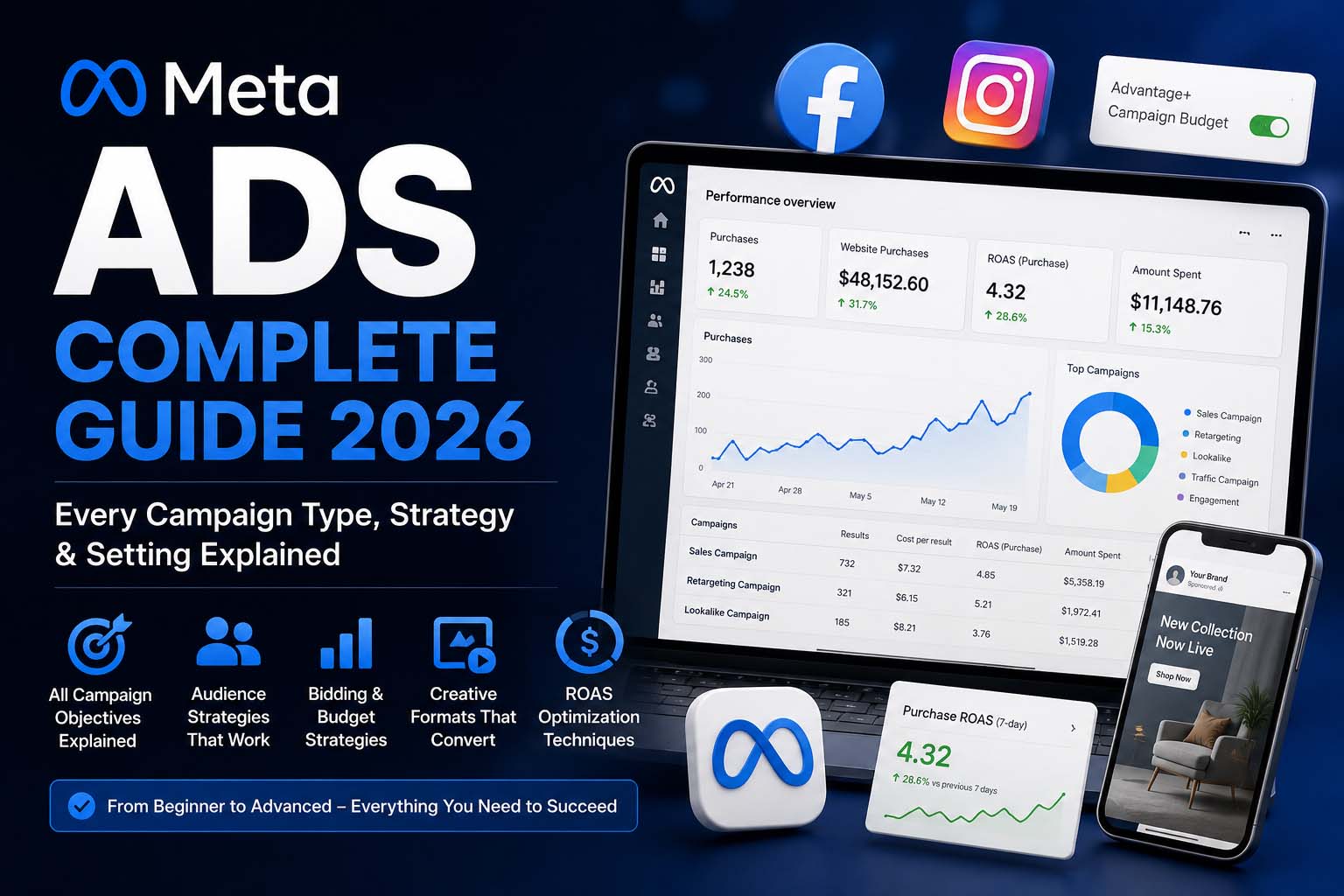
2.11 billion people can be reached through Meta's advertising platforms every day. Facebook and Instagram represent the most powerful audience targeting infrastructure ever built — yet most businesses waste the majority of their ad budget within the first 30 days because they don't understand how the system actually works.
This guide covers everything. Not a surface-level overview — the actual campaign mechanics, audience logic, bidding strategies, creative principles and daily optimisation routines that produce real results in 2026.
Who this guide is for: Business owners who want to understand what they're paying for, marketers building their first serious Meta Ads strategy, and anyone whose previous campaigns failed to deliver the promised results.
Why Meta Ads in 2026
- Interest and behaviour targeting — reach people based on what they care about, not just what they're searching
- Visual-first formats — video, carousel, stories and reels demonstrate products in ways text ads cannot
- Algorithm-driven optimisation — Meta's machine learning finds your best customers if you give it enough data
- Retargeting power — re-engage website visitors, video viewers and past customers with precision
- Lower CPM than Search — for awareness and interest-stage audiences, Meta CPMs beat Google Search CPC significantly
The reality check: Meta Ads are not set-and-forget. The algorithm needs guidance, creative needs refreshing regularly, and audiences need deliberate structure. Businesses that treat Meta Ads as passive advertising fail consistently. Those that actively manage and optimise see compounding returns.
The 3-Level Campaign Structure
Every Meta Ads account uses the same three-level hierarchy. Understanding this structure is the single most important foundation for running effective campaigns — and the place most beginners go wrong.
| Level | What You Set Here | Key Decision |
|---|---|---|
| Campaign | Objective, campaign budget (CBO option) | What result do you want Meta to optimise for? |
| Ad Set | Audience, budget, schedule, placements, optimisation event, bid strategy | Who sees it, when, where and at what cost? |
| Ad | Creative format, image/video, headline, body copy, CTA button, destination URL | What does the user actually see? |
CBO vs ABO: Which to Use
Campaign Budget Optimisation (CBO) lets Meta distribute your budget across ad sets automatically — great for scaling where Meta can find the most efficient delivery. Ad Set Budget Optimisation (ABO) gives you manual control per ad set — essential for testing, where you need equal spend across variants to get clean data.
Campaign Objectives Explained
Meta's ODAX framework organises campaign objectives into six categories. The objective you choose tells Meta's algorithm who to show your ads to. Choose the wrong objective and Meta optimises for the wrong behaviour — no matter how good your creative is.
Awareness
Maximise how many people see your brand and how often. Sub-objectives: Brand Awareness and Reach. Best for: Top of funnel — brand launches, product launches, building recognition before a sales campaign. Don't expect clicks or conversions. This plants the seed for profitable future retargeting.
Traffic
Send people to your website, app, WhatsApp or phone. Always use "Landing Page Views" (requires Pixel) over "Link Clicks" — higher quality traffic at a slightly higher CPM. Best for: Blog content, product pages. Never use Traffic objective when you have Pixel conversion data — use Sales (Conversions) instead for dramatically better results.
Engagement
Likes, comments, shares, video views and page followers. Video View campaigns (optimised for ThruPlay or 2-second views) build warm custom audiences at very low CPM — excellent for building retargeting pools before a conversion campaign. Best for: Social proof building, content distribution.
Leads
Collect contact information. Sub-objectives: Instant Forms (native Meta form — frictionless, no landing page needed), Website (sends to your landing page), Messenger, WhatsApp, Calls. Best for: Service businesses, B2B, real estate, education, finance. Always connect your CRM for instant lead delivery — leads go cold within minutes.
Sales (Conversions)
The most powerful objective for any business with Pixel data. Meta finds users most likely to complete your defined conversion event — purchase, lead form submit, sign-up, contact. Requires minimum 50 conversion events per week per ad set to exit the learning phase. Start with a higher-funnel event (Add to Cart) if purchases are too few to feed the algorithm. Best for: E-commerce and any business with active Pixel tracking.
Audience Types: Core, Custom & Lookalike
Audience targeting is where Meta Ads succeed or fail. The same creative can produce wildly different results depending on who sees it. There are three fundamentally different audience types — each serving a different purpose in your funnel.
Core Audiences (Interest & Behaviour Targeting)
| Targeting Type | Options | Effectiveness |
|---|---|---|
| Location | Country, region, city, radius | High — always layer this first |
| Age & Gender | 18–65+, Male/Female/All | Medium — be precise or let Meta decide with Advantage+ |
| Interests | Topics users engage with on Meta | Medium — often broad, use layering not stacking |
| Behaviours | Purchase behaviour, device usage, travel | High — specific to buying intent |
| Demographics | Education, job title, relationship status | Medium — useful for B2B and niche audiences |
Interest targeting hack: Create separate ad sets for each interest group instead of stacking multiple interests in one ad set. This reveals exactly which interests convert — then you scale winners and cut the rest. Stacking masks performance data.
Custom Audiences — Your Most Valuable Asset
Website Custom Audiences
Retarget people who visited specific pages or took specific actions. Requires Pixel. Examples: "Cart abandoners last 7 days", "Pricing page visitors who didn't reach thank-you page", "All visitors last 30 days." These are your hottest audience segments and typically produce 3–8x higher ROAS than cold audiences.
Customer List Custom Audiences
Upload your email list or CRM export. Meta matches against user accounts at 40–60% match rates. Your most powerful use: upload your best buyers to create a 1% Lookalike — you're essentially telling Meta "find me more people who buy like my top customers."
Video Engagement Audiences
Retarget people who watched 25%, 50%, 75% or 95% of your video ads. Built at essentially zero incremental cost — you pay for the initial video view once, then retarget the warmest viewers with direct conversion ads. One of the highest-leverage audience strategies available.
Page & Profile Engagement
Retarget people who liked, commented, shared, saved or messaged your page or Instagram profile. Essential for accounts where website Pixel data is limited. Build this consistently through organic content before launching retargeting campaigns.
Lead Form Engagement
Retarget people who opened but didn't complete your Instant Form — they showed clear intent. A follow-up ad with a stronger offer, testimonial, or added urgency often converts these fence-sitters at a very low CPL.
Lookalike Audiences — Scalable Cold Traffic
Lookalike audiences tell Meta: "Find me new users who look like my best existing customers." Meta analyses your source audience and finds similar users across its platform. Best sources in order of quality:
- Purchasers and paying customers — highest commercial value signal
- High-quality leads from your CRM (not just any lead)
- Email list subscribers (engaged, not cold imports)
- Website visitors — last 30–60 days
- Video viewers at 75%+ completion
Start with 1% Lookalikes (most similar, smallest audience). Scale to 2–5% as you prove profitability. Avoid 10% Lookalikes at smaller budgets — quality drops significantly at that scale.
Meta Pixel & Conversions API
The Pixel is the tracking foundation of your entire Meta Ads account. Without it you're running conversion campaigns blindly. The Conversions API (CAPI) is its essential server-side partner — critical since iOS 14.5 privacy changes broke browser-based tracking.
Standard Events — Priority Implementation Order
| Event | Where to Fire | Why It Matters |
|---|---|---|
| PageView | All pages | Foundation — enables all website custom audiences |
| ViewContent | Product or service pages | Tracks interest in specific offerings |
| AddToCart | Cart page or button click | High-intent signal — feeds conversion optimisation |
| InitiateCheckout | Checkout start page | Identifies cart abandonment audience |
| Purchase | Order confirmation page | Most valuable — triggers ROAS calculation |
| Lead | Thank-you or confirmation page | Primary event for service businesses |
| Contact | Contact form submission | For businesses without dedicated lead forms |
Event Match Quality Score: Meta scores how well your Pixel matches events to user accounts (0–10). Below 6 and your optimisation suffers significantly. Adding the Conversions API alongside your browser Pixel typically improves match quality from 5–6 to 7–9 — directly improving ROAS and lowering CPL.
Placements & Ad Formats
| Situation | Recommendation | Why |
|---|---|---|
| Scaling campaigns with proven creative | Advantage+ Placements | Meta finds cheapest placement for your goal automatically |
| Testing new creatives | Manual — Feeds only | Isolates creative performance from placement variance |
| Stories and Reels specific content | Manual — Stories & Reels | Vertical 9:16 format needs its own ad set |
| B2B or professional audiences | Manual — Facebook only | Instagram skews younger and consumer-focused |
| Brand safety sensitive ads | Manual — exclude Audience Network | Third-party apps can damage brand perception |
Ad Format Performance Guide
Single Image Ad
The simplest and most versatile format. Works for almost any objective. Best sizes: 1080x1080px (square) for feeds, 1080x1920px (vertical) for stories. High-contrast visuals with minimal text overlay perform best — Meta's algorithm historically de-prioritises text-heavy images.
Video Ad
The highest-engagement format on the platform. Hook the viewer in the first 3 seconds — 47% of video ad value is delivered in the first three seconds. Optimal length: 15–30 seconds for conversion campaigns. Critical: add captions — 85% of Facebook videos are watched with no sound.
Carousel Ad
Show 2–10 images or videos, each with its own link. Best for showcasing multiple products, telling a multi-step story, or showing before/after comparisons. Carousel ads average 20–30% more clicks than single-image ads — the swipe interaction signals intent.
Stories & Reels Ads
Full-screen vertical immersive formats with some of the lowest CPMs on the platform. Stories appear between organic stories; Reels ads between content in the Reels feed. Excellent for reach and brand awareness at scale — and for building video engagement audiences cheaply.
Creative Strategy That Converts
Creative is the single biggest performance variable in Meta Ads. The algorithm can only work with what you give it — weak creative wastes even the best audience strategy.
The Hook — First 3 Seconds
You have three seconds to stop the scroll. Hook formulas that consistently work:
- Direct problem call-out: "If your Facebook ads aren't profitable, this is exactly why."
- Bold result claim: "We doubled this client's leads in 30 days. Here's the exact campaign."
- Contrarian statement: "Stop targeting interests. Here's what actually works in 2026."
- Result-first visual: Show the transformation or result in the first frame before explaining how.
- Social proof opener: "312 businesses in Bangladesh used this strategy last quarter."
Ad Copy Structure
| Element | Purpose | Best Practice |
|---|---|---|
| Primary Text | Main body copy above the creative | Lead with the benefit, not the feature or the product |
| Headline | Bold text below the creative | State the offer clearly or call out the audience directly |
| Description | Small text under headline | Add urgency, social proof, or specific numbers |
| CTA Button | The clickable action | "Shop Now", "Get Quote", "Learn More", "Sign Up" |
The creative refresh rule: When Frequency for cold audiences exceeds 3.5, CTR drops and CPM rises — ad fatigue has set in. Refresh creative every 3–4 weeks for active campaigns. Always have new creative ready before you need it — waiting until performance drops means days of wasted spend.
Bidding Strategies Explained
| Bid Strategy | How It Works | Best For | Risk |
|---|---|---|---|
| Highest Volume (default) | Spends your budget to get maximum results at any cost | Starting out, during learning phase | Can overspend if results are expensive |
| Cost Per Result Goal | Keeps average cost around your target CPA | When you know your target CPA precisely | May underspend if target is set too low |
| Bid Cap | Sets a maximum bid in every auction | Strict budget situations | Very restrictive — can prevent delivery entirely |
| ROAS Goal | Optimises toward a target return on ad spend | E-commerce with strong Pixel purchase data | Needs large data volume to function well |
| Minimum ROAS | Only bids when minimum ROAS is predicted | Protecting profitability when scaling | Very restrictive — use only at scale |
Full-Funnel Campaign Architecture
The biggest mistake in Meta Ads is running one campaign and expecting it to do everything. A full-funnel architecture uses different campaigns for different stages of the customer journey — and it is the difference between a $3 ROAS and a $0.80 ROAS.
Top of Funnel — Awareness
Objective: Video Views or Awareness · Audience: Cold interest-based or Lookalike · Budget: 20–30% of total
Educational content, brand story, problem-awareness videos. Goal: build a massive warm retargeting pool at the lowest possible CPM. People who watch 75% of your video cost pennies to retarget — this stage makes every downstream campaign cheaper.
Middle of Funnel — Consideration
Objective: Traffic or Engagement · Audience: Warm — video viewers, page engagers, website visitors 60–90 days · Budget: 30–40%
Case studies, client testimonials, product demos, "reasons to choose us" content. Goal: move warm audiences from awareness to active consideration. Drive qualified website traffic to build your retargeting lists.
Bottom of Funnel — Conversion
Objective: Sales or Leads · Audience: Hot — website visitors 7–30 days, cart abandoners, lead form openers · Budget: 40–50%
Direct offers, discount codes, urgency, social proof, money-back guarantees. Your highest-ROAS campaign by far. Always exclude existing customers and exclude audiences covered by lower-funnel campaigns from upper-funnel ad sets.
Retargeting: Your Highest-ROI Campaign
Retargeting shows ads specifically to people who already interacted with your brand. These audiences convert at 3–8x the rate of cold audiences because you've already overcome the first barrier of awareness and trust.
| Audience Segment | Time Window | Ad Approach | Expected Performance |
|---|---|---|---|
| Cart abandoners | 1–7 days | Urgency + incentive: "Your cart is waiting — 10% off for 24 hours" | Highest ROAS |
| Checkout initiators | 1–14 days | Remove friction — highlight guarantee, delivery speed, returns policy | Very High ROAS |
| Specific product page visitors | 7–30 days | Social proof + direct offer for the exact product they viewed | High ROAS |
| All website visitors | 30–60 days | Brand reminder + your strongest unique value proposition | Medium-High ROAS |
| Video viewers 75%+ | 30–90 days | Next step — the direct offer from the video they almost finished | Medium ROAS |
| Page engagers | 60–180 days | Awareness-to-consideration bridge content | Medium ROAS |
Exclusion stacking is non-negotiable: Always exclude purchasers from acquisition campaigns and exclude converted leads from lead gen campaigns. Without exclusions, you're paying to show acquisition ads to people who already bought — wasting budget and destroying your attribution data.
A/B Testing Framework
Meta Ads optimisation is a permanent testing process. But testing everything at once produces unreadable data. Use a structured testing hierarchy:
- Creative (hook and format) — biggest impact on performance; test this first always
- Audience — once winning creative is found, test it across different audience groups
- Offer — test different CTAs, pricing presentations, bonuses, guarantees
- Landing page — once the ad is proven to generate clicks, test where it sends them
- Copy length and tone — short vs long-form, formal vs conversational voice
- Placement — compare Feed vs Stories vs Reels performance when scaling
One variable at a time. If you test a new image AND new copy simultaneously, you won't know which change caused the improvement. Use Meta's native A/B Test tool (in Experiments) to prevent audience overlap and get clean statistical results. Run each test for minimum 7 days before drawing conclusions.
Optimising for ROAS: The Daily Routine
High-performing accounts are actively managed. Here is the optimisation routine that keeps campaigns profitable over time.
Daily Checks (5–10 minutes)
- Check spend pace — are campaigns spending on schedule or under/overpacing?
- Review CPM, CPC and CTR for significant changes from the previous day
- Check Frequency — flag any cold audience ad set above 3.5
- Verify conversion attribution looks correct in Events Manager
- Check for ad disapprovals or account policy warnings
Weekly Optimisation Actions
- Pause underperforming ads — below 1% CTR for cold audiences; below target CPA for conversion campaigns
- Scale winning ad sets — increase budget by maximum 20% every 3–4 days to avoid re-entering learning phase
- Refresh creative for any ad with 4+ frequency — have new variants ready before performance drops
- Review audience overlap and consolidate overlapping ad sets to prevent self-competition
- Check landing page conversion rate — if CTR is high but conversions are low, the problem is the page, not the ad
Monthly Reviews
- Full attribution analysis — compare Meta-reported ROAS to actual CRM revenue data
- Audience refresh — update customer list custom audiences with new buyers from the month
- Creative performance audit — document which hooks, formats and offers performed best
- Competitive intelligence — review what competitors are running in the Meta Ad Library
- Strategy review — are the right objectives running at the right funnel stages?
- Budget reallocation — shift spend from underperforming campaigns to proven winners
10 Meta Ads Mistakes Killing Your Budget
- Starting without Pixel data. Running conversion campaigns with no historical data means the algorithm optimises blindly. Install the Pixel at least 2–4 weeks before launching conversion campaigns — let it accumulate baseline data first.
- Choosing the wrong objective. Running Traffic campaigns when you want leads, or Engagement when you want sales. The objective controls who Meta shows your ad to — choosing it wrong means optimising for the wrong people regardless of creative quality.
- Audience too narrow. Audiences under 500,000 people severely limit Meta's optimisation ability. The algorithm needs scale to find your best customers. Start broader than feels comfortable — Advantage+ Audiences can help.
- Audience too broad without data. "All of Bangladesh, 18–65, all interests" with no Pixel data gives the algorithm nothing to work with. Use interest layering or Lookalike seeds to give it a meaningful starting signal.
- Touching campaigns during learning phase. Any significant change during the first 50 optimisation events resets the learning phase. This is the most expensive mistake new advertisers make — let campaigns stabilise before optimising.
- Scaling too aggressively. Increasing daily budget by more than 20% in 24 hours forces the algorithm back into learning. Scale in 20% increments every 3–4 days — patience at this stage is directly worth money.
- No frequency management on retargeting. Showing the same retargeting ad to the same person 12+ times per week creates negative brand sentiment. Cap retargeting at 3–5 weekly impressions per person.
- Making decisions on insufficient data. Pausing or scaling campaigns after 3–5 days. Most campaigns need 14–21 days to show meaningful statistical patterns. Impatience destroys profitable campaigns before they prove themselves.
- No exclusion audiences. Failing to exclude existing customers from acquisition campaigns wastes budget and destroys attribution accuracy. Build exclusion audiences before you launch — not after you notice the problem.
- Creative fatigue ignored. Running identical creative for months without refreshing. Creative fatigue is the single most common reason profitable campaigns suddenly collapse. Schedule creative refreshes proactively.
Is Meta Ads Right for Your Business?
Meta Ads work for almost any business — but they work differently depending on what you're selling and who your customers are.
Meta Ads work exceptionally well for: E-commerce businesses with visual products and Pixel data, service businesses where customers are active on Facebook or Instagram, local businesses targeting a defined geographic area, and any business with an existing customer email list to seed Lookalike audiences.
Meta Ads require more infrastructure to work for: Complex B2B with long sales cycles, very niche technical products where the audience is too small on Meta, and high-price low-frequency purchases with no existing customer data to build from.
The businesses that win with Meta Ads treat them as a managed system — not a slot machine. Pixel setup done right. Campaign architecture built for the full funnel. Creative refreshed on a schedule. Optimisation driven by data and not by gut feel.
If you're ready to build that system — or you've run Meta Ads before and they didn't work — let's talk. I'll audit your existing account (or build one from scratch) and map out exactly what a profitable Meta Ads structure looks like for your specific business, budget and goals.
Need Help Running Meta Ads That Actually Work?
Strategy, setup, creative, optimisation and ROAS tracking — done for you.
Get a Free Consultation